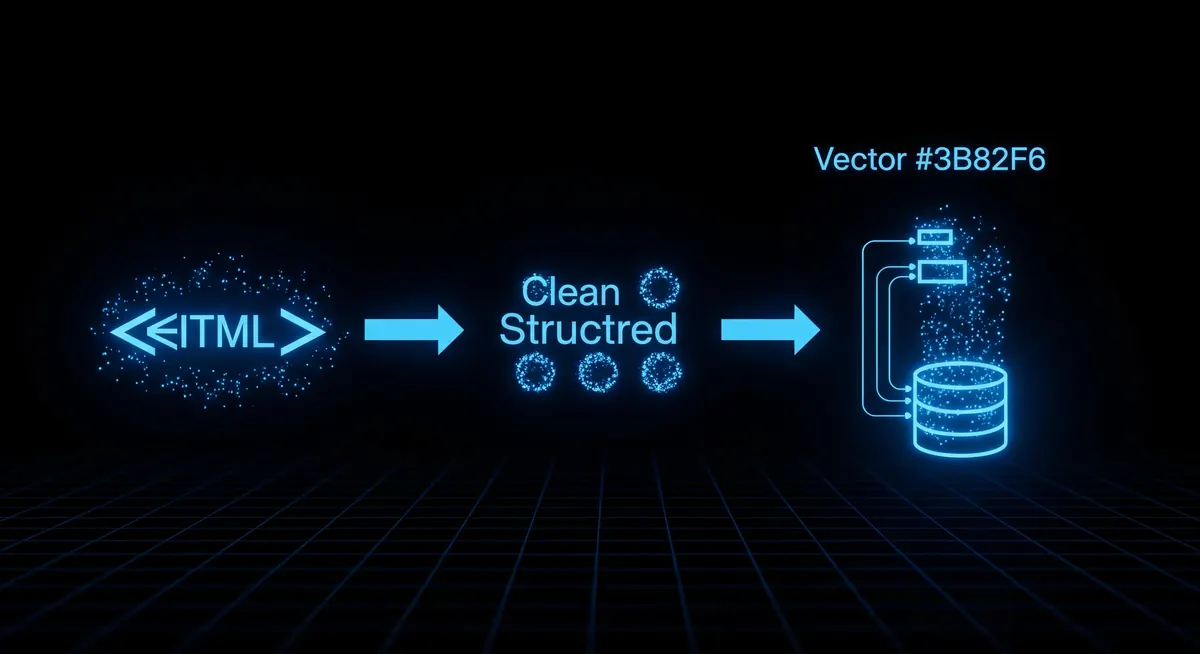
RAG Crawler Use Cases: Who Needs Website-to-Markdown Conversion and Why
RAG Crawler converts any website into chunked, token-counted markdown. Here are the teams that use it, what they build, and why pre-chunked output matters for LLM pipelines.
The actor referenced in this article. Pay only for results delivered.
Most large language models answer questions based on what they were trained on. That training data has a cutoff date and does not include your internal documentation, a competitor’s pricing page, or an analyst report published last week. RAG (Retrieval-Augmented Generation) solves this by retrieving relevant content at query time and passing it as context.
The bottleneck is getting that content into a form the LLM can use. Raw HTML is full of navigation menus, cookie banners, and script tags. Converting it to clean markdown, splitting it into chunks of a sensible size, and counting tokens in each chunk is tedious work that every team building a RAG system has to solve. RAG Crawler handles that step.
Teams that use it
AI product teams building chatbots over documentation sites. The standard use case: a software company wants a support chatbot that answers questions about their own docs. RAG Crawler crawls the docs site nightly, produces fresh chunks, and those go into a vector database. The chatbot retrieves the relevant chunks per question and Claude or GPT answers with citations.
Competitive intelligence analysts monitoring competitor websites. A product team sets up a weekly crawl of three to five competitor sites, indexes the chunks, and runs a Claude query: “What changed in the pricing page since last week?” The diff is surfaced without anyone reading the sites manually.
Legal and compliance teams indexing regulatory websites. Federal agency sites publish guidance documents, rule updates, and enforcement notices as HTML pages. RAG Crawler converts those to structured markdown that can be queried: “Does any SEC guidance published in the last 90 days mention AI model disclosures?”
Research teams building private literature assistants. Academic labs and biotech firms crawl preprint servers, journal pages, and conference proceedings. The markdown output goes into a retrieval system that lets researchers ask questions over a corpus of papers they have curated.
Enterprise IT teams replacing keyword search with semantic search over internal wikis. Confluence and Notion export options often produce inconsistent formatting. Crawling the rendered web versions with RAG Crawler produces cleaner markdown than the export APIs.
Why pre-chunked output matters
The alternative to pre-chunked output is doing the chunking yourself. That means deciding where to split content, handling edge cases like code blocks that span natural break points, and computing token counts per chunk to avoid exceeding context limits.
RAG Crawler chunks on headings by default. A page with H2 sections becomes one chunk per section, each with its own token count. You set a max-tokens parameter and the crawler handles splits automatically. The output includes the source URL, the chunk index within the page, the text, and the token count. That format is compatible with LangChain, LlamaIndex, and direct OpenAI embedding calls without transformation.
The zero-charge-on-failure policy matters for crawls over large sites. If a page 404s or a JavaScript render times out, that page does not count against your usage. You pay only for content that successfully converts.
What it does not replace
RAG Crawler is not a full-site indexer for search engines. It does not discover links the way Googlebot does. You give it a list of URLs or a starting URL with a depth limit and it crawls what you specify. For comprehensive site crawling with link discovery, pair it with a sitemap fetcher or a standard crawler to generate the URL list first.
It does not extract structured data from tables or parse product schemas. For structured extraction, the right tool is a purpose-built scraper for that data type. RAG Crawler’s output is prose markdown. That makes it ideal for question-answering workloads and poor for data pipelines that expect rows and columns.
Getting started
The actor takes a list of URLs (or a single start URL with depth), optional CSS selectors to strip from content, a max-tokens-per-chunk setting, and a Playwright option for JavaScript-heavy pages. Output is one JSON record per chunk. A 100-page documentation site typically produces 400 to 800 chunks depending on page length and heading structure.
For the full pipeline — crawl, embed, store, and query — see the RAG Crawler automation guide. For a comparison with Firecrawl, see Firecrawl vs RAG Crawler.
Explore the scraper referenced in this article — see inputs, outputs, and pricing, then run it on Apify.
Amazon Retail Price vs AliExpress Supplier Cost: The Sourcing Check in One Call
Before you sell a product, you want to know what it costs to source. Here is how to pull an Amazon listing's retail price and reviews against real AliExpress supplier prices in a single call, and what the spread actually tells you.
Federal Contracts, Campaign Finance & UK Company Records as Structured JSON (No Login)
Three official government data sources — SAM.gov contract opportunities, FEC campaign finance, and UK Companies House — turned into clean JSON APIs for GovCon capture, compliance, and political research. No browser, no login, pay only for results delivered.
Five Scholarly Databases in One Call: OpenAlex, Crossref, arXiv, PubMed and OpenCitations
A literature scan means five sources with five query languages and five response shapes. Here is how to pull published works, canonical metadata, preprints, biomedical hits and a citation graph for one topic in a single call, and which source to trust for what.